
SCADA integration for machines and production lines – ACORE
Hardware layer, protocols, retrofit – Poland and neighbouring countries
Most searched topics:
Quick answer
Integrating a machine or production line with SCADA means building a hardware and communication layer: a PLC or gateway reads machine data (states, counters, currents, alarms), exposes it through a standard protocol (most often OPC UA, Modbus TCP, PROFINET, EtherNet/IP or MQTT), and SCADA collects, archives, visualizes and alarms on it. Older machines without any communication can be connected through retrofit: sensors, current transformers, I/O modules and edge gateways. A stable network, correct tag mapping and IEC 62443-aligned security are essential. ACORE designs, repairs and commissions this hardware layer across Poland and for customers in neighbouring countries.
What SCADA integration of machines means and why companies do it
SCADA (Supervisory Control And Data Acquisition) is the supervision layer of a process: it collects data from many machines, presents it to operators and management, stores history and raises alarms. The SCADA application alone knows nothing about your machine, however, unless a hardware layer sits underneath: PLCs, I/O modules, drives and servo amplifiers, sensors, transmitters, protocol gateways, industrial network switches and cabling. That layer decides whether data is true, complete and always available.
Companies order SCADA integration for very practical reasons: they want to know in real time which machine is stopped and why, how many parts were produced on a shift, what the line OEE is, where minutes of downtime are lost, and when a drive is about to overheat or a bearing is wearing out. SCADA data also supports quality audits, energy allocation and maintenance planning, and shows where a modernization investment will pay back fastest.
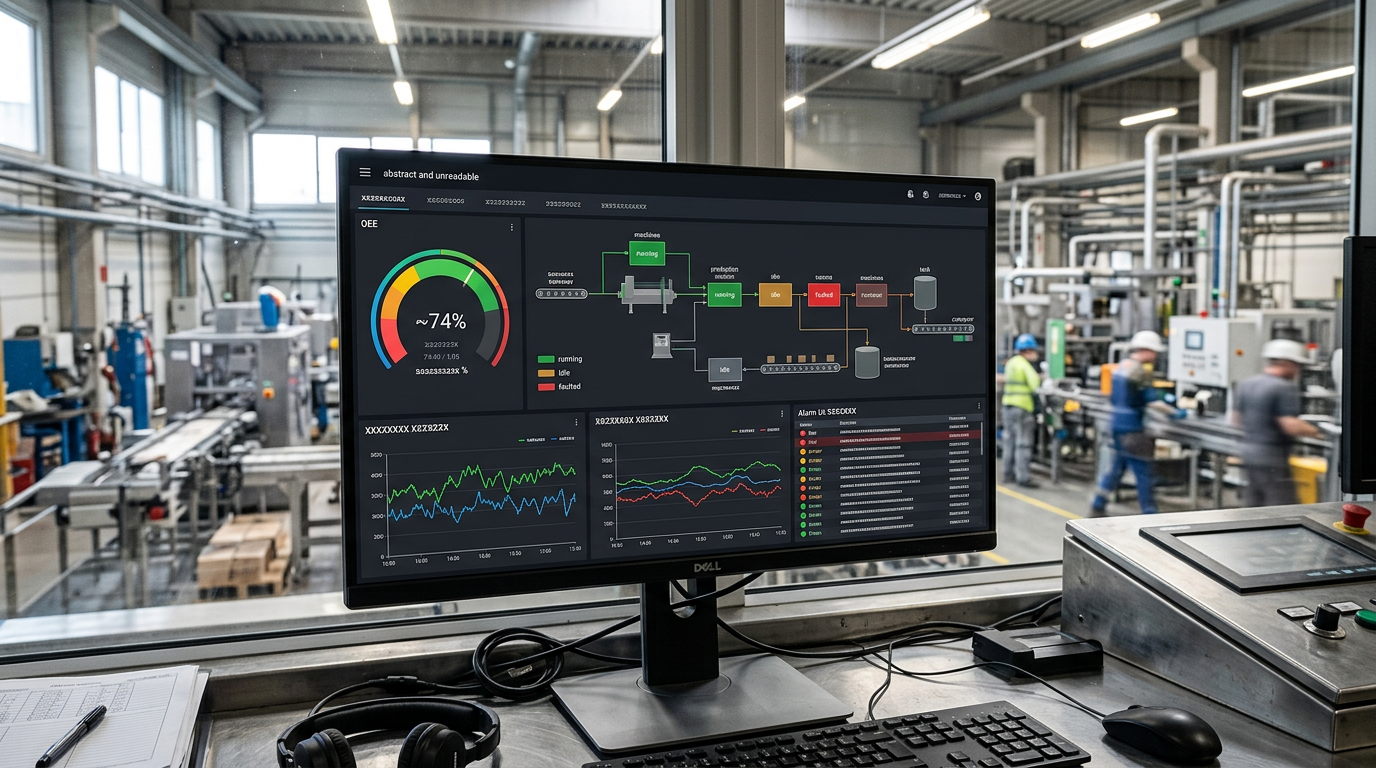
What we mean by the hardware layer
Everything below the SCADA application that feeds it data: PLCs and I/O modules, drives, sensors, current transformers, energy meters, protocol gateways, industrial edge computers, managed switches, power supplies and cabling. We cover all of it, from design and selection through repair and commissioning to ongoing service.
Architecture: from sensor to SCADA screen (Purdue model and ISA-95)
A well-designed integration has a clear layered architecture. In industry it is described by the Purdue model (ISA-95). Knowing it helps you understand responsibilities and the points where networks may safely be crossed.
| Level | Name | Typical devices | Role in the integration |
|---|---|---|---|
| 0 | Physical process | Sensors, actuators, motors, valves, encoders | Source of analog and digital signals |
| 1 | Basic control | PLCs, drive controllers, I/O modules, VFDs | Machine logic, fast control loops |
| 2 | Area supervision | SCADA, HMI panels, OPC UA servers, edge gateways | Visualization, alarms, archiving, recipes |
| 3 | Production management | MES, historian, databases, OEE reporting | Orders, batch tracking, performance analysis |
| 3.5 | DMZ | Firewalls, broker or proxy servers | Secure separation of production and office networks |
| 4–5 | Business and cloud | ERP, BI, cloud services, analytics | Planning, controlling, optimization |
In practice most problems appear at the boundary between levels 1 and 2, where different protocols, controller generations and timing requirements meet. That is why a good integration starts with an inventory of what physically stands on the shop floor, not with the choice of software.
Communication protocols for SCADA integration: OPC UA, Modbus, PROFINET, EtherNet/IP and more
No single protocol fits everything, because a machine park rarely comes from one vendor. The integrator's job is to match communication to every machine and unify it into a form SCADA understands. The table below lists what we meet most often.
| Protocol | Medium | Typical use | Practical notes |
|---|---|---|---|
| OPC UA | Ethernet TCP/IP | Standard for machine and SCADA integration, IT/OT | Modern, secure (certificates, encryption), vendor-independent |
| OPC DA / Classic | Ethernet (DCOM) | Legacy SCADA installations | Hard to configure and secure, replacement or tunnelling recommended |
| Modbus RTU | RS-485 | Drives, energy meters, controllers, sensors | Simple, needs 120 Ω termination and proper shielding |
| Modbus TCP | Ethernet | Drives, meters, gateways, simple PLCs | Very popular, no built-in security |
| PROFINET | Ethernet | Siemens and compatible devices, distributed I/O | Real time, needs correct device names and topology |
| PROFIBUS DP | RS-485 | Older Siemens installations, drives, I/O | Still common, needs a gateway to reach Ethernet |
| EtherNet/IP | Ethernet | Rockwell / Allen-Bradley and compatible | Tag-based data, CIP implicit and explicit messaging |
| EtherCAT | Ethernet | Servo drives, fast axes | Usually inside the machine, reaches SCADA via PLC or gateway |
| S7 (S7comm) | Ethernet | Siemens S7-300, 400, 1200, 1500 | Needs PUT/GET permission and non-optimized data blocks |
| MC Protocol / FINS | Ethernet | Mitsubishi / Omron | Direct controller memory access, address mapping required |
| MQTT / Sparkplug B | Ethernet / cellular | IIoT, cloud, distributed sites | Lightweight publish-subscribe, ideal for edge gateways |
| CANopen / J1939 | CAN | Mobile machines, forklifts, drives | Reaches SCADA through a CAN-to-Ethernet gateway |
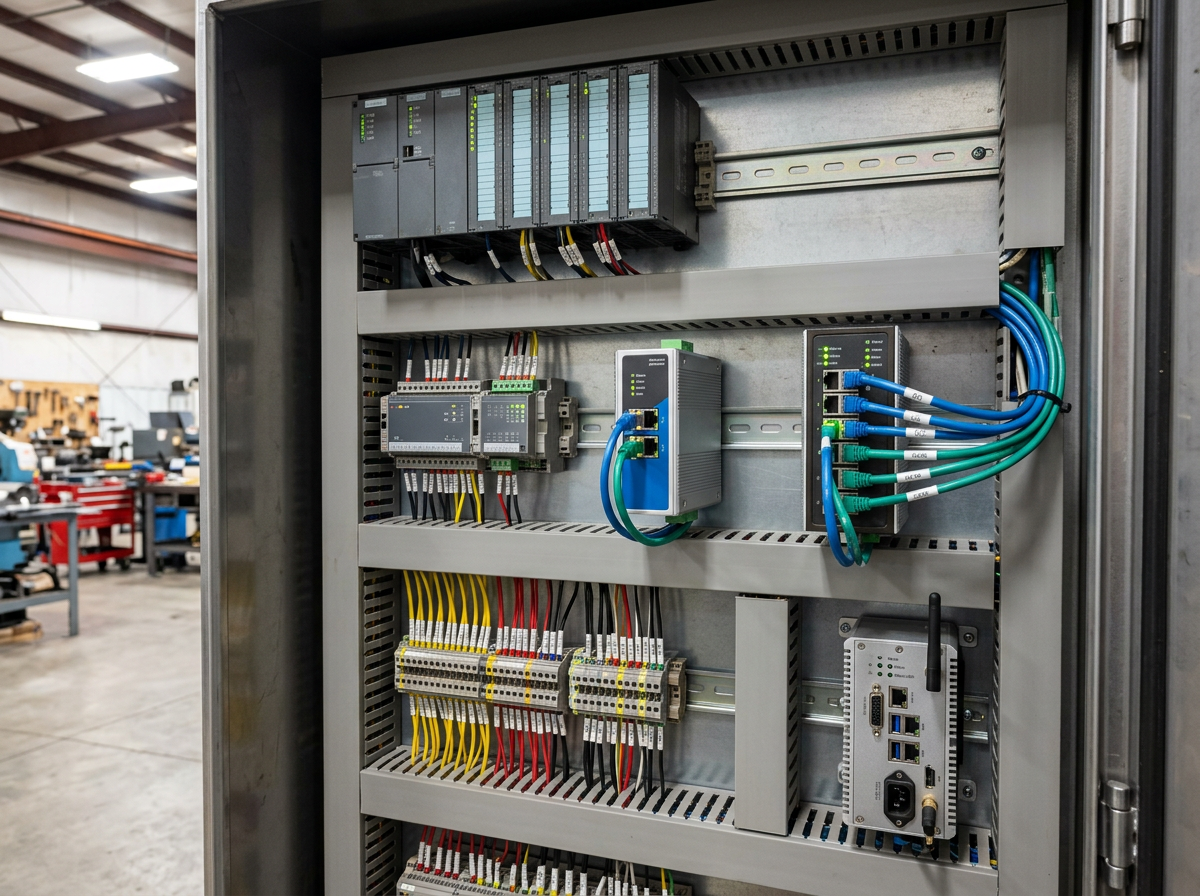
Our recommendation for new projects is simple: use OPC UA for vertical communication (PLC to SCADA and on to MES or cloud), and where a device does not support it, use a gateway that translates Modbus, PROFIBUS or CAN into OPC UA or MQTT. For distributed sites and cloud, MQTT with Sparkplug B works best.
SCADA platforms we work with: WinCC, Ignition, AVEVA, FactoryTalk, zenon and others
The choice of platform depends on installation size, the existing controller fleet, license budget and your maintenance team's skills. We do not push a single vendor: we integrate machines into the platform you already have, or choose one with you after analyzing your needs.
| Platform | Strengths | Typical environment |
|---|---|---|
| Siemens WinCC (Professional, Unified) | Deep integration with TIA Portal and S7 | Siemens-based plants |
| Ignition (Inductive Automation) | Unlimited clients licensing, OPC UA, MQTT, web | Companies seeking flexibility and lower development cost |
| AVEVA System Platform / Wonderware | Rich object models, large installations | Food, pharma, energy |
| AVEVA Plant SCADA (Citect) | Scalability, redundancy | Infrastructure, mining, water |
| Rockwell FactoryTalk View SE | Native Logix integration | Allen-Bradley installations |
| COPA-DATA zenon | Wide driver library | Discrete manufacturing, energy |
| GE Proficy iFIX | Proven platform, historian | Older and large systems |
| Mitsubishi GENESIS64 | Integration with Mitsubishi controllers | Mitsubishi-based plants |
| Open stack: Node-RED, Grafana, InfluxDB, Mosquitto | Low cost, flexibility, fast prototypes | Smaller firms, pilots, retrofit |
In small and medium plants a lightweight solution is often enough: an HMI panel with logging, an edge gateway and a browser dashboard. For larger installations we recommend a full SCADA platform with a historian and server redundancy. We decide after a short analysis of your plant, not from a catalogue.
Integrating old machines without communication: retrofit step by step
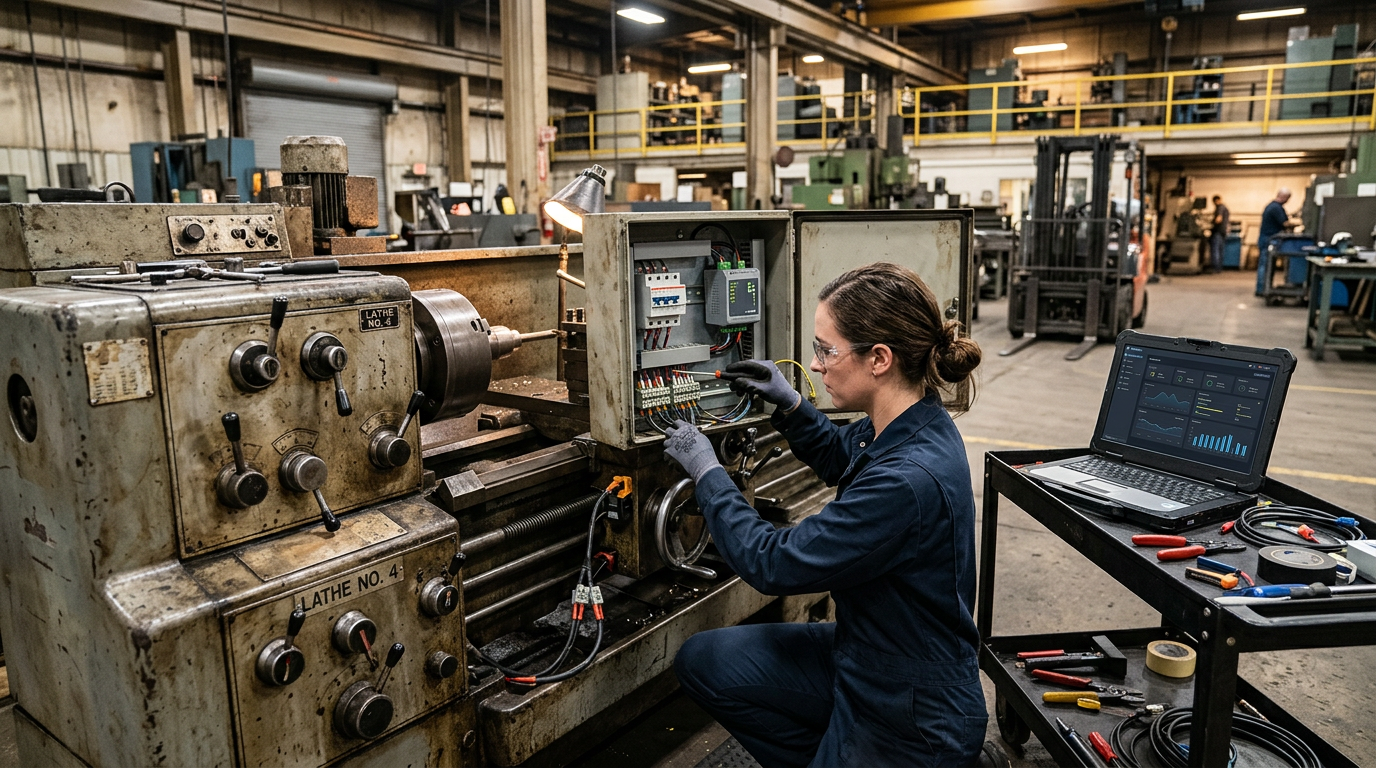
The most common question we hear from owners: can a machine from the 1990s or 2000s with no communication port be brought into SCADA? In the vast majority of cases the answer is yes, without touching the original control logic. We use non-invasive methods that add a measurement layer next to the machine instead of reprogramming an old controller.
- Run state and downtime: relays, contactors and signal lamps read through a digital input module
- Part and cycle counting: inductive or optical sensors counting pulses
- Load and consumption: current transformers and energy meters with Modbus output
- Temperature, vibration, pressure: sensors added at critical points (bearings, motors, hydraulics)
- VFDs and servo drives: parameters read via Modbus or PROFINET directly from the drive
- Controllers with a serial port: a gateway translating RS-232 or RS-485 into OPC UA or MQTT
- Operator panel: data taken from the existing HMI through its protocol, or through a new panel with logging
As a result even presses, lathes, injection molding machines, packaging lines or cranes that have run for decades can join the supervision system after a few days of on-site work.
How an implementation runs: stages of a SCADA integration project
- Audit and inventory: list of machines, controllers, drives, protocols, firmware versions, cabling and network condition. We establish what already communicates and what needs retrofit.
- Business goals: together we define which data should reach SCADA (states, OEE, alarms, energy, recipes) and who will use it.
- Architecture design: selection of protocols, gateways, OPC UA servers, network topology, IP addressing, VLAN segmentation and DMZ.
- Tag list: every variable gets a name, type, unit, scaling, range and alarm priority. This document saves the most time during commissioning and service.
- Hardware delivery and installation: cabinets, I/O modules, gateways, switches, sensors, cabling with correct shielding and grounding.
- Communication setup: commissioning controllers and OPC UA servers, address mapping, read and write tests, byte order (endianness) checks.
- SCADA application: process screens, trends, alarms per ISA-18.2, reports, archiving, user permissions.
- Acceptance tests: checking every variable on the machine, simulating communication failures, testing recovery after power loss.
- Training and documentation: drawings, tag list, backups of PLC, HMI and SCADA projects, instructions for maintenance staff.
- Service and growth: hardware repair, updates, extension to further machines.
What you gain: OEE, alarms, historian and downtime analysis
Once machine data lands in one system it can be turned into concrete indicators. OEE (Overall Equipment Effectiveness) is the product of availability, performance and quality, and shows best how much you really get from a machine. Without automatic data collection, OEE relies on paper sheets and carries large errors.
| SCADA function | Input from hardware | Benefit |
|---|---|---|
| Machine state monitoring | Run, stop and fault signals from PLC or I/O | You know what is stopped and since when |
| Downtime cause analysis | Alarm codes, safety signals | Ranking of causes, targeted corrective action |
| OEE and performance | Part counters, cycle time, rejects | Measurable comparison of shifts, lines and machines |
| Energy and utilities | Energy meters, flow meters, pressures | Detecting waste, allocating costs |
| Predictive maintenance | Current, temperature, drive vibration | Parts replaced before failure, fewer sudden stops |
| Recipes and batch tracking | Process parameters written to the controller | Repeatable quality, customer documentation |
| Reports and audits | Variable archive in the historian | Compliance evidence, fast complaint analysis |
The value grows with time: the longer you collect data, the easier it is to spot seasonal dependencies, slow degradation and the effect of setting changes. Many companies start with one line, show the results to management and only then extend the integration to further machines.
Industrial network cybersecurity: IEC 62443, segmentation, remote access
Connecting machines to a network and to SCADA enlarges the attack surface if done without a plan. In every project we follow principles from the IEC 62443 family and basic good practice that do not require a large budget.
- Network segmentation: separate VLANs for machines, SCADA and office, traffic only where needed
- A DMZ between the production network and the office network or cloud, with a proxy server or MQTT broker
- Firewalls and access lists at zone borders: deny by default, allow by exception
- OPC UA with encryption and trusted certificates instead of open, unencrypted connections
- Remote access through VPN with multi-factor authentication, never exposing controllers to the internet
- Account management: individual accounts, least privilege, changing default device passwords
- Backups of PLC, HMI, SCADA projects and gateway configurations, with tested restore
- Updates and asset inventory: you know what is on the network and at which firmware version
Security and legacy machines
Old controllers often cannot be secured on their own. The solution is isolating them behind a gateway or an industrial firewall and exposing data read-only, with no write access from outside.
Most common SCADA integration problems and how we fix them
From our service practice, most integration failures are not in the SCADA software but in the hardware layer and communication configuration. Below are the problems we see most, with the typical cause and action.
| Symptom | Typical cause | Action |
|---|---|---|
| Intermittent Modbus RTU communication | Missing 120 Ω termination, wrong polarity, shared ground, interference from drives | Terminate both ends, shielded twisted pair, shield grounded at one end, separate cable routes |
| Variables with wrong values (e.g. huge numbers) | Reversed byte or word order (endianness), wrong data type | Correct mapping, type (INT, DINT, REAL), word swap |
| SCADA cannot connect to S7-1200 or 1500 | PUT/GET disabled, optimized block access | Change protection settings and blocks, recommend moving to OPC UA |
| OPC UA certificate error | Untrusted client or server certificate, changed hostname | Replace or trust certificates, correct hostname and system time |
| IP conflict, random disconnects | Duplicate address, multiple DHCP servers, network loop | Addressing plan, static IPs, STP or RSTP on switches |
| Delayed or missing data | Too short polling interval, overloaded OPC server, too many tags in one group | Optimize subscriptions, deadband, split into groups |
| Different timestamps in alarms | No time synchronization | NTP on all devices, a single time source |
| Gateway restarts often | 24 V supply from an overloaded power supply, overheating | Replace or repair the DIN power supply, improve ventilation |
| Damaged port or I/O module | Surge, short circuit in the field, damaged transceiver | Component-level repair or replacement with an equivalent |
Because we also repair the devices themselves, we can fix a damaged PLC, HMI panel, DIN power supply, drive or communication module instead of ordering a new one. That is often the difference between a repair in days and weeks of waiting for a new part.
Repair and service of the hardware layer under SCADA
Integration is not just implementation but also maintenance. When a controller, panel or drive fails, SCADA stops receiving data and the operator loses insight into the process. That is why we offer comprehensive care of the entire hardware chain.
- PLC repair: Siemens, Allen-Bradley, Mitsubishi, Omron, Schneider, Beckhoff and others
- HMI panel and industrial PC repair: screen and power supply replacement, project recovery
- VFD and servo drive repair: Siemens, Danfoss, Schneider, ABB, Lenze, Yaskawa and others
- DIN power supply and communication module repair
- Control cabinet building and modernization, cabling
- PLC and HMI programming, gateway and OPC UA server configuration
- Industrial network diagnostics: measurements, traffic analysis, locating interference
If you have a damaged device in a SCADA system you can send it by courier to our workshop in Knurów, Poland. We accept orders from Poland, Germany, Czechia and Slovakia, and return repaired equipment with a warranty. Communication is possible in English, German or Polish.
Industries where we integrate machines with SCADA
- Metalworking: lathes, milling machines, presses, injection molding machines, welders
- Food and beverage: bottling and packaging lines, mixers, pasteurizers
- Plastics: injection molding machines, extruders, dryers
- Logistics and warehouses: conveyors, sorters, forklifts, AGV systems
- Mining and energy: drives, fans, pumps, switchgear
- Water and wastewater: pumping stations, treatment plants
- Construction and heavy machinery: fleet monitoring, machine telemetry
- Automotive: assembly lines, test benches
What determines scope and time – and why we do not quote generic prices
We do not publish prices in this article because every integration is different and depends on the condition of the machine park. The quote is individual and free after a preliminary analysis. Scope and time are driven mainly by:
- the number of machines and measurement points (variables) to connect
- the age and type of controllers and the protocols they offer
- whether retrofit with sensors is needed or existing communication only needs configuring
- the chosen SCADA platform and requirements for historian, redundancy and reports
- network and cabling condition on the shop floor and the need for segmentation
- security requirements (remote access, DMZ, audit)
- the scope of training and documentation
A good practice is to start with one line or machine as a pilot: results show quickly, and the experience is carried over to the rest of the plant.
Frequently asked questions about SCADA integration of machines
What does it mean to integrate a machine with a SCADA system?
It means exposing machine data (states, counters, currents, alarms, process parameters) through a standard protocol so that a SCADA system can collect, archive, visualize and alarm on it. This requires a hardware layer (PLC, I/O modules, sensors, gateways) and correct network and variable configuration.
Can an old machine with no communication port be connected to SCADA?
Yes. Non-invasive retrofit is used: digital input modules reading run signals, sensors counting parts, current transformers and energy meters, and edge gateways that forward data over OPC UA or MQTT. It does not require reprogramming the original controller.
Which protocol should I choose: OPC UA, Modbus or PROFINET?
For vertical communication to SCADA, MES and cloud we recommend OPC UA. Modbus is practical for drives, meters and simple devices. PROFINET and EtherNet/IP mainly serve communication inside a machine or line. When a device does not support OPC UA, a protocol gateway is used.
Which SCADA platform is best for a small or medium company?
It depends on the existing controllers and budget. For Siemens-based plants WinCC is natural, for Allen-Bradley FactoryTalk. Platforms such as Ignition or open stacks (Node-RED, Grafana, InfluxDB) can be beneficial where flexibility and development cost matter. We choose after analyzing your needs.
How is SCADA different from MES and HMI?
An HMI is a local operator panel at the machine. SCADA supervises many machines and collects data in one place. MES manages production at the level of orders, batches and tracking. In practice these systems complement each other, and hardware-layer data feeds all three.
How do I secure the industrial network after connecting machines to SCADA?
The basics are segmentation (VLANs), a DMZ, firewalls, OPC UA with certificates, remote access via VPN with multi-factor authentication, individual accounts with least privilege and regular backups. These principles come from the IEC 62443 family of standards.
Why does SCADA show wrong values or lose connection?
Most often the cause is in the hardware layer or configuration: wrong byte order, incorrect scaling, missing RS-485 termination, interference from drives, IP conflicts, missing permissions in the controller or an untrusted OPC UA certificate. Diagnosis starts with the network and cabling.
Do you repair damaged PLCs, HMIs and drives in a SCADA system?
Yes. We repair PLCs, HMI panels, drives, DIN power supplies and communication modules at component level. Devices can be sent by courier to our workshop in Knurów, Poland from anywhere in Europe.
Do you work with customers outside Poland?
Yes. We accept repair orders from Poland, Germany, Czechia and Slovakia. Knurów is close to the Czech border, and communication is possible in English, German or Polish.
How much does SCADA integration cost?
It depends on the number of machines, the controller types, the need for retrofit and the chosen platform. That is why the quote is individual and free after a preliminary analysis. Contact us by phone or e-mail and describe your machine park.
What are your working hours?
We work Monday to Friday, 8:00-16:00 (Central European Time). Requests sent outside these hours are handled on the next business day.
Want to connect your machines to SCADA? Describe your machine park
Send us a list of machines, controller brands and photos of your cabinets. We will return with a proposed architecture and a free, individual quote.
Call: +48 504 511 170Mon–Fri 8:00–16:00 CET | biuro@acore.pl | Knurów, Silesia, Poland
Service area: all of Poland and neighbouring countries
We carry out SCADA integrations and hardware repairs for companies in Poland's largest cities and their surroundings, and accept devices by courier from Germany, Czechia and Slovakia.
- Warsaw
- Krakow
- Wroclaw
- Poznan
- Gdansk
- Gdynia
- Lodz
- Szczecin
- Katowice
- Gliwice
- Rybnik
- Zabrze
- Tychy
- Bielsko-Biala
- Opole
- Bydgoszcz
- Torun
- Lublin
- Bialystok
- Rzeszow
- Ostrava
- Brno
- Prague
- Zilina
- Bratislava
- Dresden
- Leipzig
- Berlin